
- Before adding items to sell, please take clear pictures of the product you want to sell, to enable potential buyers get a better view of the product for sale
2. On the top right corner, click on the profile icon to Login or Create an account if you are a new user.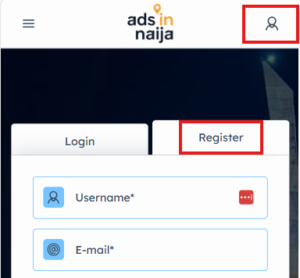
3. After creating an account or signing in, click Add New Item from your profile or click on the 3 lines on the top left corner to open menu and click Sell Item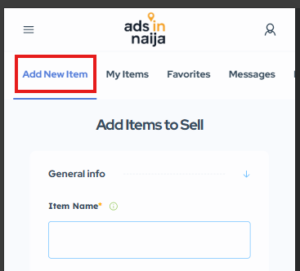
4. Fill in all the details as required by the category of the items for sale. The more information, the better the chance of selling fast.
– For Item Name, please give a catchy name that describes the product to sell for potential buyers to easily search for your product
– Add your item for sale to the correct Category for proper classification and searchability
– For Description, Add proper details about the product for sale, as this will give potential buyers more information to make better and fast buying decision
5. Upload pictures from picture library on your phone. Maximum is 10-pictures. Please upload real images of items to sell to avoid misleaing potential buyers
6. Put in listing address for Map View, to make potential buyers familiar with the listing location. LISTING ADDRESS WILL NOT BE DISPLAYED ON LISTING PAGE
7. After filling all the details, click Add Items to Sell
8. Next step is to select a package
– You can select an existing package, if you already purchased a premium package
– If you have no existing premium package, you can post for free.
– For high visibility and better engagement, purchasing a premium package is better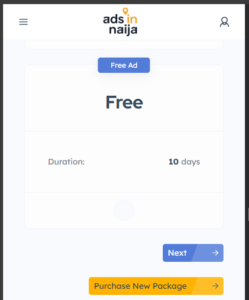
9. Click Next to publish Item to sell
back to top
- To Edit a Posted Item
– Login to the dashboard and click My Items.
– Scroll down to the Item, and click Edit
– Make the changes and click Save Item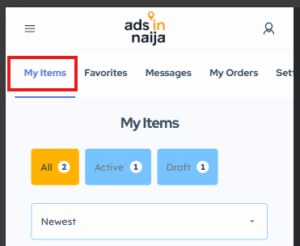
2. To Post or Repost an Item in Draft
– Login to the dashboard and click My Items.
– Scroll down to the Item, and click Publish
– Select an existing package, post for free, or purchase a premium package for high visibility
– Click Next to publish Item
3. To Promote an Item for High Visibility
– Login to the dashboard and click My Items.
– Scroll down to the Item, and click Promote
– Select an existing package, or purchase a premium package
– Click Next to publish Item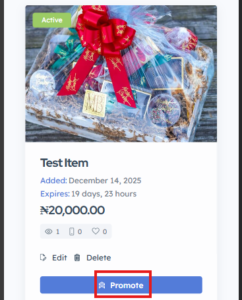
4. To delete an Item
– Login to the dashboard and click My Items.
– Scroll down to the Item, and click Delete
– A message will popup. Click Delete to confirm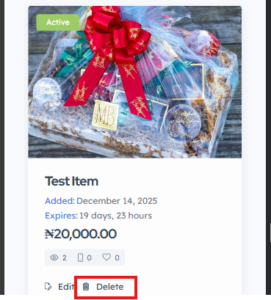
back to top
- Searching Items to Buy
– You can search for items with or without being logged in
– In the homepage, choose a Category and enter a search keyword, the click Search.
– List of results will be displayed based on your search keyword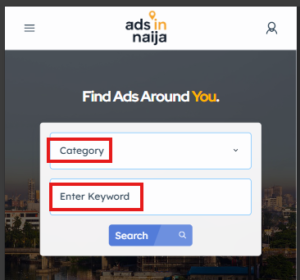
2. Refining Search Results
– To get desired result after result is displayed, click on More filters.
– On the left side of the screen, you can select options to refine result.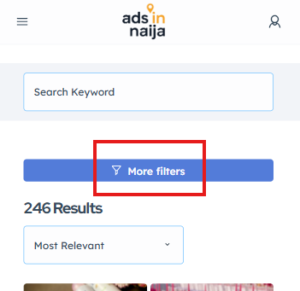
3. View Item and Contact Seller
– Click on Item you are interested in, to see more details.
– Scroll down to see the seller contact
– To view seller Contact or use Quick Message to communicate with seller, you must sign in.
4. Safety pracautions
– Please follow safety rules anytime you are transacting
– Report abuse or fraud by any seller or buyer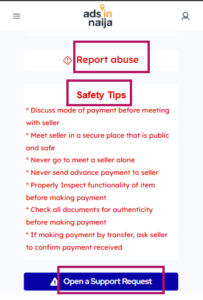
back to top